Calendly vs. Acuity Scheduling: Feature and Pricing Comparison
Calendly and Acuity Scheduling were two of the pioneers of scheduling software. We’re taking a closer look at their key features and pricing.
 Jessica Malnik · Updated · 5 min read
Looking for a more efficient way to schedule calls and meetings? Then, you have likely heard about Calendly and Acuity Scheduling.
Founded in 2013 and 2006 respectively, they are two of the pioneers of appointment scheduling software.
While both Calendly and Acuity have some similar features, they are designed for different types of customers. For example, Calendly caters towards teams, whereas Acuity is best suited for freelancers and creative professionals.
In this post, we’re taking a closer look at Calendly and Acuity’s key features and pricing.
Calendly
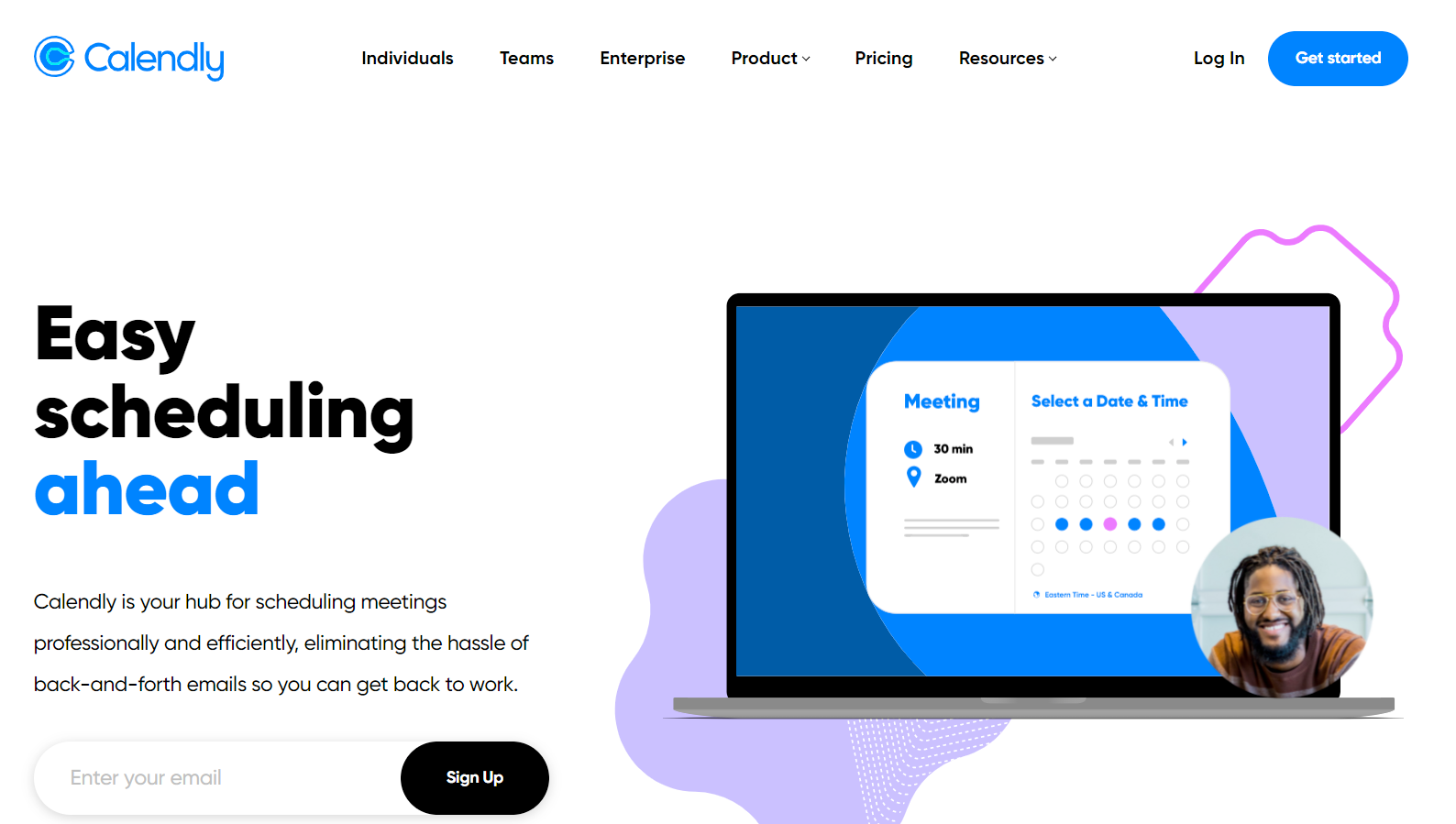
Founded in 2013 in Atlanta, Calendly works great as a generic scheduling platform for individuals and teams. Plus, they have a freemium version that is easy to use.
Calendly pros
Calendly is designed to be easy to set up and integrate with your existing suite of tools. For instance, it integrates seamlessly with Salesforce, Gmail, Microsoft Teams, Slack, Zoom, Stripe, and Zapier, to name a few.
Plus, it will save you and your team time when scheduling meetings. The automatic time zone detection eliminates confusion over scheduling when people are in different time zones.
Here are some of the key features, including but not limited to:
- Connects to Gmail, Outlook, iCloud, and Office 365 calendars.
- Set multiple meeting types and meeting preferences to fit you or your team’s needs
- Detects time zones for all attendees to remove frustrations with back and forth communications regarding time zone differences
- Automated workflows that save you and your clients time signing up for meetings
- Create Round Robin and collective event types on their team plan
- Customize your automated reminders, meeting detail updates, and follow-up messages
- Embed your Calendly scheduler in your website or email links
Calendly cons
While Calendly works well for the team that is using it, the experience for a recipient booking a call through your scheduling link is less than ideal. The experience of booking a call feels impersonal, forces the person to toggle between their calendar and yours, and can lead to some awkward power dynamics.
There is also no way to personalize your scheduling links like you can with a tool like SavvyCal.
You also can’t customize your availability on the fly, provide ranked availability, or connect multiple calendars or route different events to different calendars.
For those who start on the free version, you will likely outgrow the plan quickly since you can only have one calendar connection, one active meeting type, limited email reminders, and no customization to your booking confirmation page.
Calendly pricing
Calendly offers four plans: Free, Standard, Teams, and Enterprise.
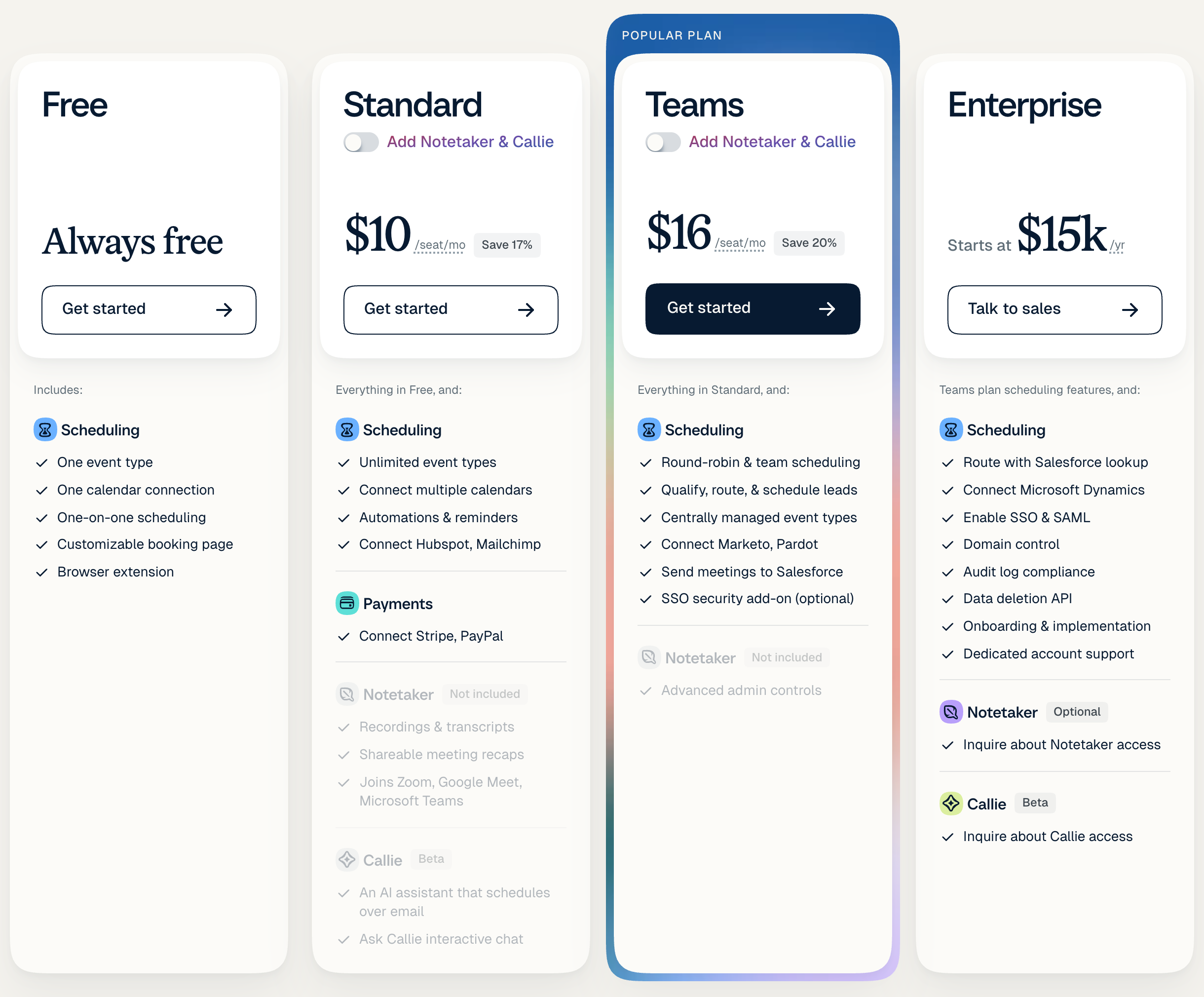
Free and Standard are aimed at individuals.
The free plan works best for individuals who schedule one-on-one meetings and only need one type of active event at a time. This plan also provides only one calendar connection, automated event notifications, unlimited one-off meetings, a personalized booking link, integrations, and more.
The next pricing tier at $10 per seat per month (billed yearly), called Standard, works for individuals who need more scheduling automation and unlimited event types. You can connect up to six calendars, automate meeting reminders, and remove Calendly branding.
There are two group options: Teams and Enterprise.
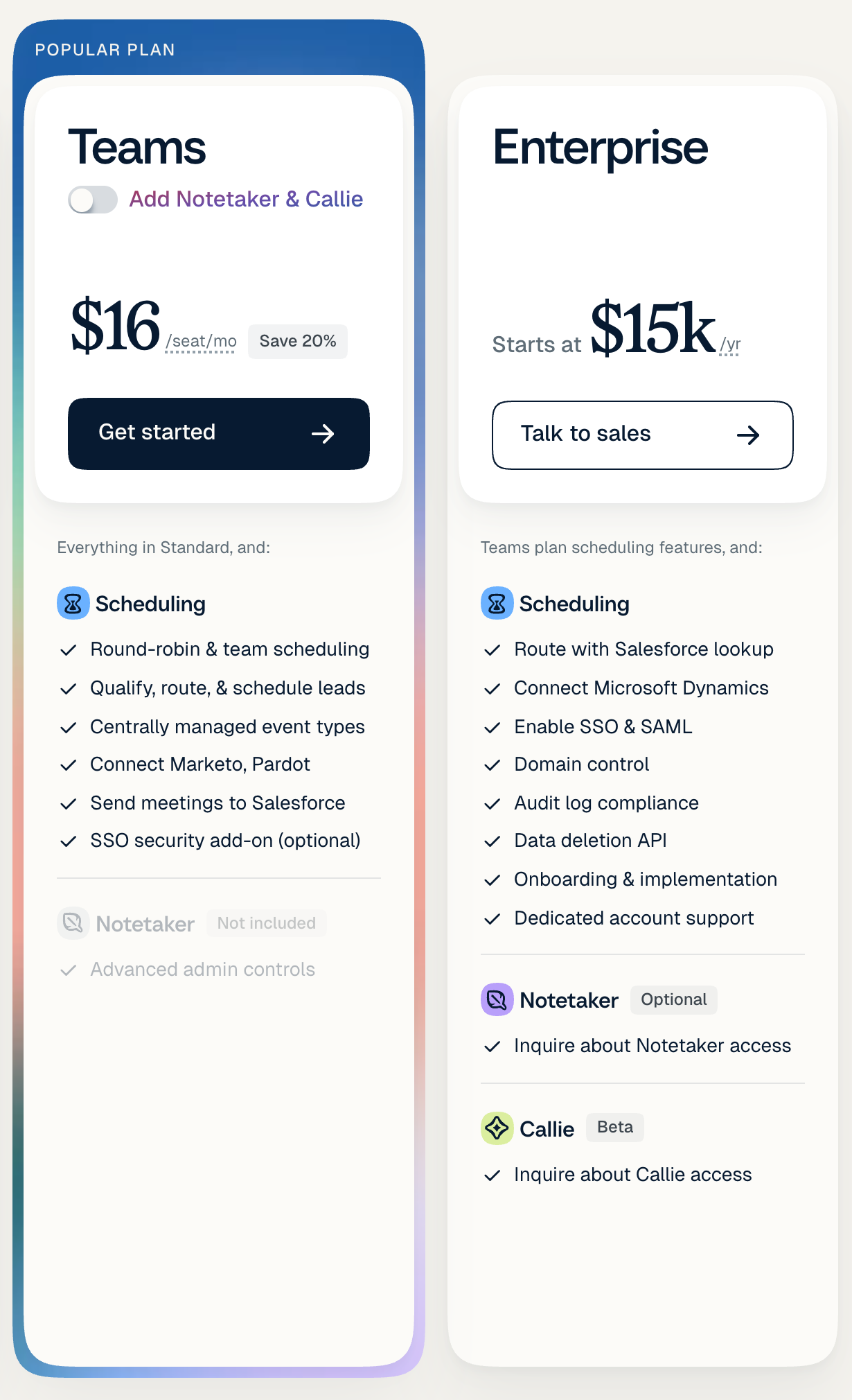
The Teams option at $16 per seat per month (billed yearly) allows for more collaboration as you can create round-robin events, integrate with Salesforce, and manage groups and permissions for your team.
The Enterprise level is for large teams and organizations looking for advanced security, support, and control. Enterprise pricing starts at $15,000 per year.
Acuity
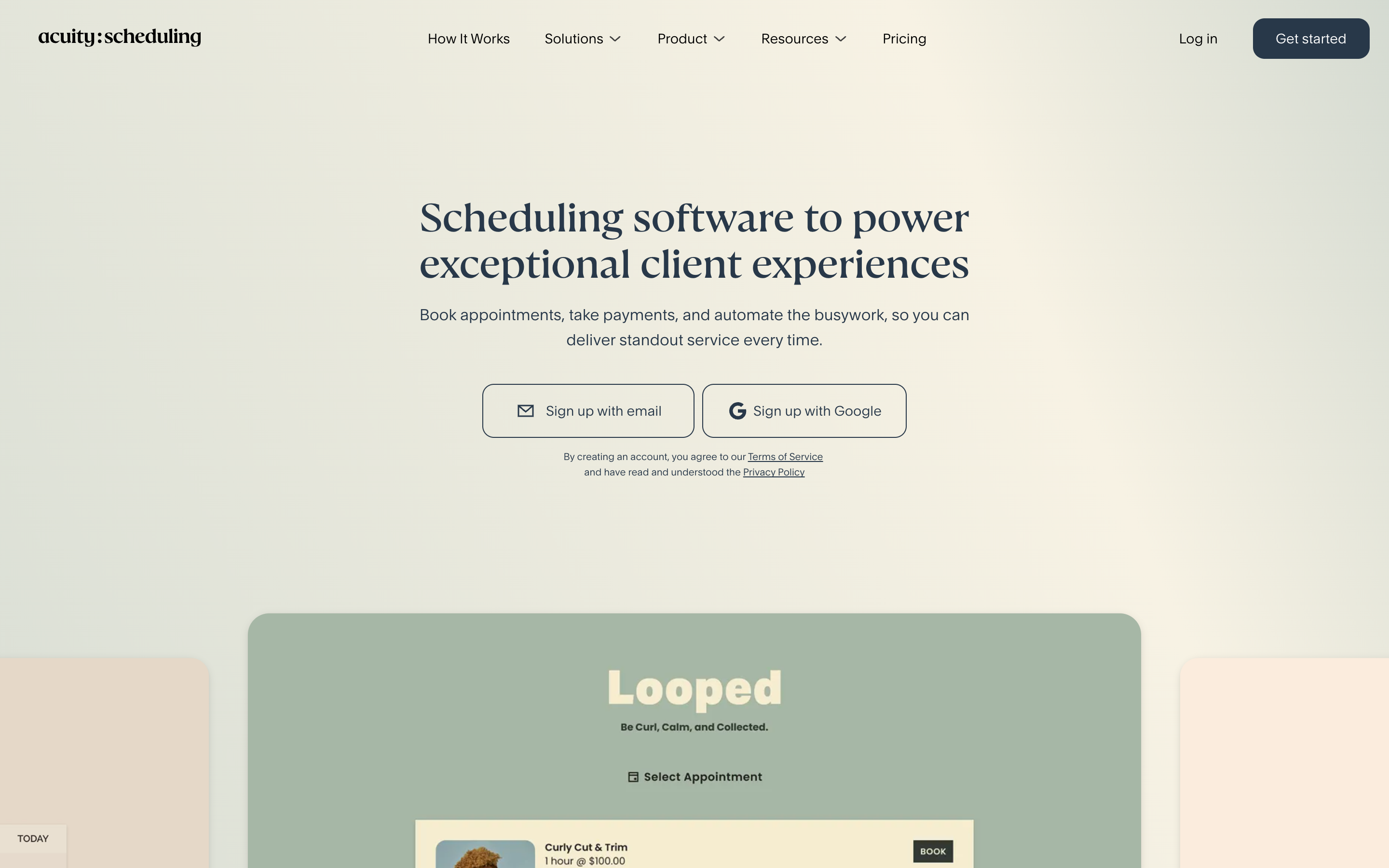
Founded in 2006 and later acquired by Squarespace, Acuity works best for individuals, freelancers, and creative professionals.
Acuity pros
Unlike Calendly that focuses 99% of their product on scheduling, Acuity wants to be the entire back-office of a creative’s business.
In addition to providing scheduling links, they make it easy to collect and organize client information (think basic CRM features), set up intake forms, integrate with your accounting software, like Quickbooks or Freshbooks, and sell memberships, subscriptions, recurring packages, and gift certificates.
Here are some additional key features, including:
- Unlimited number of appointments as well as group events
- Accept payments using PayPal, Stripe, or Square
- Integrates with video conferencing platforms, like Zoom, Google Meet, and GoToMeeting
- Automated confirmations, reminders, and follow-up emails
- Customize information and scheduling links to fit your branding
- Embed your scheduler on your website or email
- Fully HIPAA compliant
- 100s of integrations with different accounting, email marketing, and CRM systems
Acuity cons
The biggest drawback is that Acuity is built for solo creative professionals, like photographers, authors, and yoga teachers. Their team functionality is extremely limited, especially when you compare it to software like Calendly and SavvyCal.
Since they aim to be the back-office system for freelancers’ businesses, this creates a split focus. They aren’t focused entirely on building more innovative and intuitive scheduling features. Instead, they also have to think about client/customer management and accounting features, as just a couple of examples.
Speaking of feature builds, the pace of rolling out new features has dropped off dramatically since they were acquired by Squarespace in 2019.
In addition, if you browse social media and online review sites, you may notice that the number of complaints around terrible customer service has also increased since 2019.
Acuity pricing
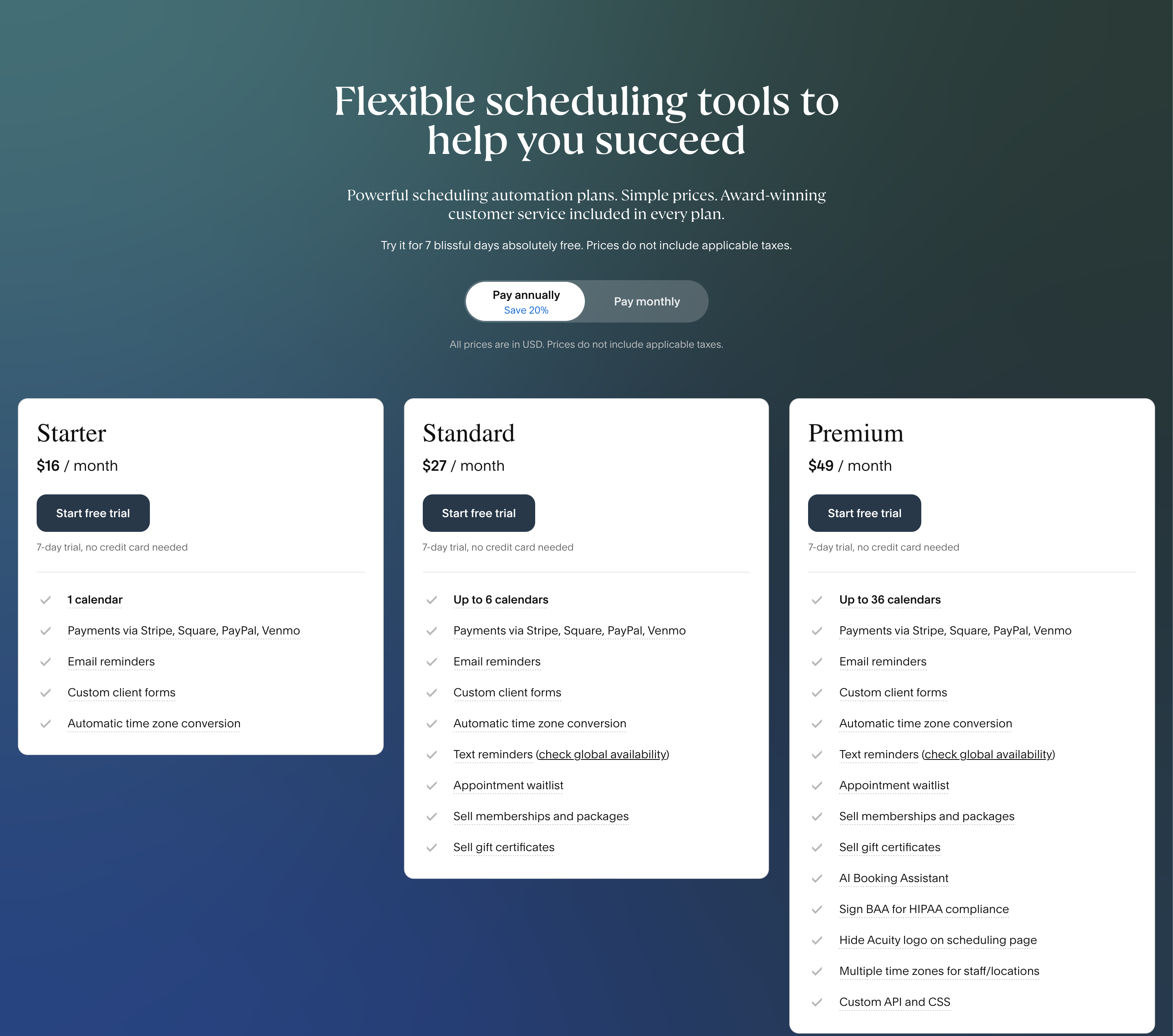
For starters, Acuity offers a 7-day free trial but doesn’t have a free plan like Calendly.
They have three paid plans: Starter, Standard, and Premium. The prices below are for annual billing. Monthly billing costs about 25% more.
The Starter plan at $16 per month provides automated scheduling, automatic time zone detection, unlimited appointments, and confirmation and reminder emails. It includes one calendar. You also can accept payments, integrate with online video meeting software, embed the scheduler in your website, sync with your online calendar, and integrate with other software through Zapier.
The Standard plan at $27 per month includes everything in the Starter plan. Additionally, this plan allows for up to six calendars, ability to text reminders worldwide, offer appointment packages, sell subscriptions, memberships, and gift certificates.
The Premium plan at $49 per month includes all features from the Standard plan but allows for up to 36 calendars. You can also have multiple time zones for your different staff or locations. Additionally, this plan provides a HIPAA compliance option, custom API and CSS for developers, and hiding the Acuity logo on your scheduling page.
SavvyCal: An alternative to Calendly and Acuity Scheduling
Both Acuity and Calendly were pioneers in the calendar scheduling space. We’ll be the first to admit they are a solid option if you need a free scheduling tool or need basic scheduling functionality.
However, if you are looking for a scheduling experience that feels more personalized and less awkward to send to your recipients, then SavvyCal has you covered.
Here are some additional ways that we’re different from both Calendly and Acuity.
- Send as many personalized scheduling links with a seamless booking experience for recipients as you want.
- Set up global availability presets, time blocks, limit scheduling frequency, ranked availability, and customizable your availability on the fly.
- A simple easy-to-understand pricing model - We only have two plans. Both of which have unlimited links, unlimited calendars, and unlimited events. Every plan has a 30-day money-back guarantee.
- Connect all your personal and professional calendars, and choose which where to store events on a per-link basis.
Don’t just take our word for it:
- Read what several former Calendly users had to say here.
- Read what several former Acuity users had to say here.
The verdict
When comparing Calendly and Acuity, it is important to think about the type of functionality you need for your business.
For instance, Calendly works well if you have no budget and just need free scheduling links. It is also a solid introductory scheduling tool for teams.
On the other hand, Acuity works well for creative professionals who want additional back-office and client management features on top of scheduling functionality.